Adjusting lane keeping aid
You can enable, adjust or disable lane keeping aid in settings.
When lane keeping aid is enabled, the car can alert you or intervene by steering if you are about to drift out of your lane.
| Steering and vibration | If you drive too close to the lane markings, your car tries to steer back into the centre of the lane. If you cross your lane markings, your car alerts you with steering wheel vibrations. |
|---|---|
| Vibration | Your car will provide steering wheel vibrations, if you cross your lane's road markings. |
You can disable lane keeping aid in settings. This can be useful if the road markings are partially obscured or faded, which can cause unwanted warnings.
Disabling lane keeping aid is only temporary as this setting automatically resets to enabled between drives.
Important
Changing driver support settings
Make sure that you understand how changing the car's settings affects its behaviour. It is particularly important when it comes to features that affect the level of assistance the car can provide.
- Press the car symbol
 in the bottom bar.
 - Go to Settings→Driving→Safety assistance→Lane keeping aid.
- Enable or disable lane keeping aid.
- After enabling lane keeping aid you can adjust the settings.
Note
Disabled
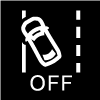
A symbol is shown in the driver display when lane keeping aid is disabled.
Safety interventions
Some situations, such as when you are about to cross a solid line or leaving the road, can cause a steering intervention to prevent a dangerous lane departure even if lane keeping aid is turned off in settings.