The Volvo Portal gives you a personalized experience, whether you’re exploring a Volvo or already own one. Stay updated, track your order, and connect with your car — all in one place.Discover Volvo Portal
Our CarsShopOwnersElectrificationAbout usElectric6 modelsHybrids2 modelsMild hybrids3 modelsCar configuratorCompare modelsElectric carsPlug-in hybrid carsSUV City carsFamily CarsSUVsEX90EX60NewEX40EX30CrossoverEC40SedanES90SUVsXC90XC60SUVsXC90XC60XC40our-storyBook a test driveRequest a quoteCar accessoriesHome chargingContact UsCar accessoriesCar accessoriesSupport centreVolvo PortalContact usHome chargingVolvo Cars AppElectrification hubCharging your VolvoRangeElectric carsElectric carsPlug-in hybrid carsCharge your VolvoOur storySafetySustainabilityNewsVolvo Legacy CarsInvestorsPress & mediaCity CarsFamily Cars7-seater carsAwardsWorld of VolvoMy Volvo storyCareers
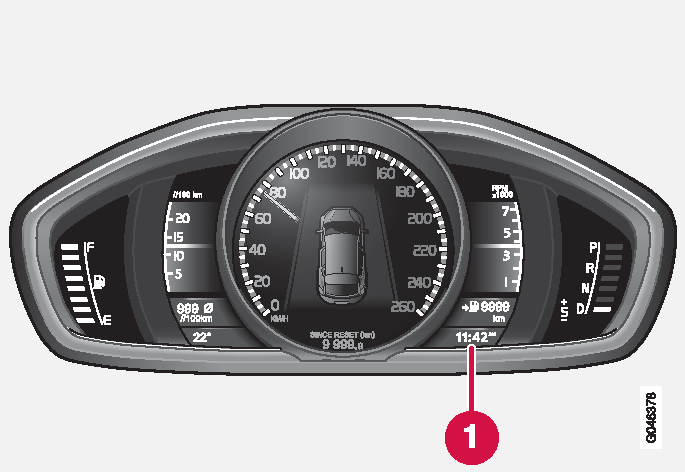
ClockThe clock display appears in the combined instrument panel.Clock, digital instrument panel.Display for showing the time[1]Set the clockThe clock can be adjusted in the menu system MY CAR, see MY CAR.