Hazard warning lights
If there is a potential risk to surrounding traffic, you should turn the hazard warning lights on. This helps to alert other road users of the need for greater awareness.
It is the driver's responsibility to use hazard warning lights according to local laws and traffic regulations.Important
The hazard warning lights button is located in the overhead console. You can also access the lights in the bottom bar in the centre display.
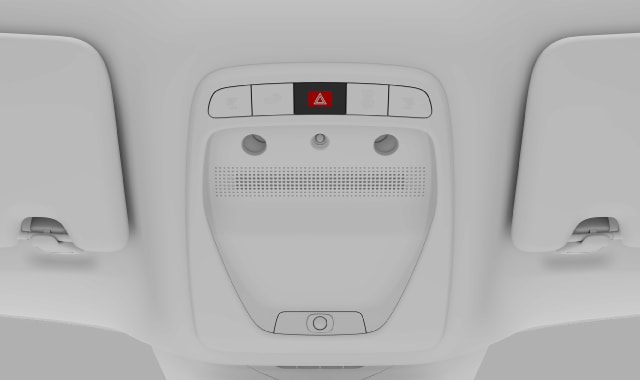

The status and interaction points to control the hazard warning lights are signified by the associated symbol.

Automatic activation
The hazard warning lights turn on automatically when the emergency brake lights are triggered due to sudden braking or an emergency stop manoeuvre.
You can turn the hazard lights off with the button in the overhead console or via the centre display. The hazard lights will turn off automatically if you begin driving again.
In the event of a collision
Your hazard warning lights will automatically turn on in the event of a collision.[1]
There is a brief cool-down period which disables the option to turn the hazard warning lights off. When the cool-down period is over, you can deactivate the lights via the button in the overhead console or the centre display.
