Controlling rear wiper
The rear wiper can be manually turned on and off. It automatically activates if the front windscreen wipers are active while you are reversing.
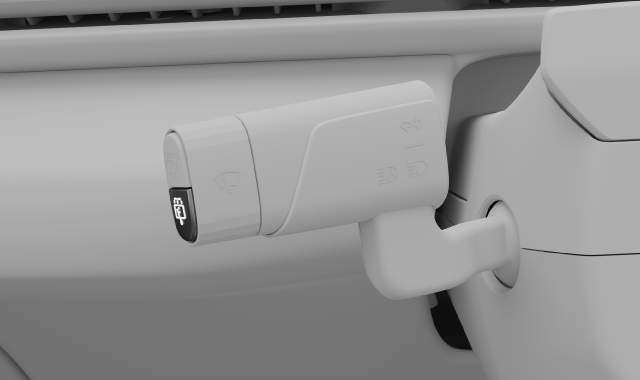
You control the rear windscreen wiper by using the lower button on the left-hand steering wheel stalk.
Turning on and off
Press once quickly on the lower button on the end of the left-hand steering wheel stalk.
 Rear windscreen interval wiping turns on or off. The current state is shown in the driver display.
- Press the button again to turn the rear wiper off.
Tip
Activate when reversing
If the front wipers are active, the rear wiper will automatically activate while you are reversing. It automatically turns off when you change gear. The rear wiper will not activate in low temperatures.
Note
Cleaning the rear-view camera
The car automatically cleans the rear-view camera when it detects that it's obscured, for example by dirt. You don't need to activate the rear wiper to clean it.